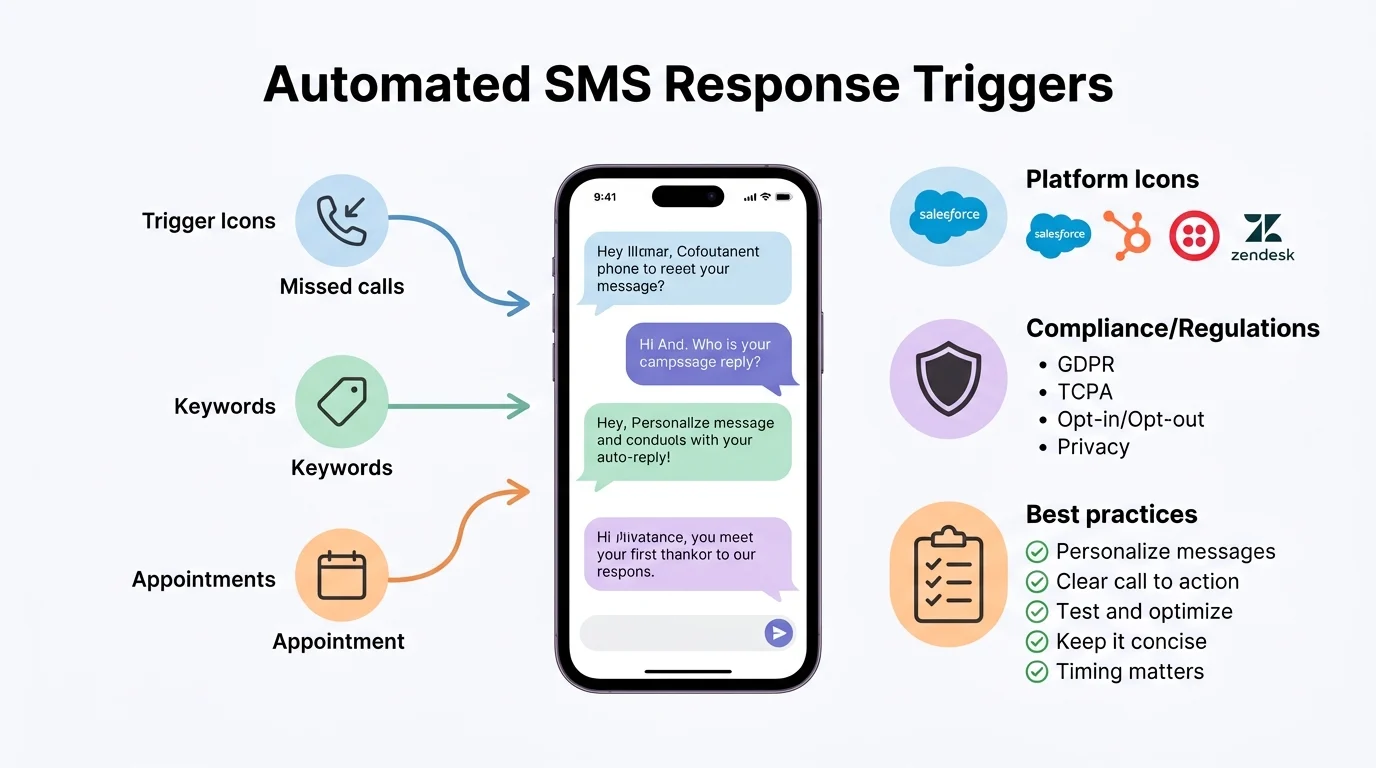
Quick Ans: An automated text message response is a pre-written SMS reply sent automatically when someone texts your business. Key types include welcome messages, missed-call auto-replies, appointment reminders, away messages, and keyword-triggered responses. Popular platforms include SimpleTexting, Textedly, Twilio, and Podium. Benefits include 98% open rates, faster response times, and 24/7 availability. Best practices: keep messages under 160 characters, identify your business, offer an opt-out, and avoid over-automating.
Your phone buzzes. A customer just texted your business asking about store hours. You’re in a meeting. You can’t reply. By the time you check your phone, they’ve already texted a competitor. This happens thousands of times a day to businesses everywhere.
Automated text message responses solve this problem. They send instant replies when customers reach out, confirm appointments, answer common questions, and keep leads warm while you’re busy. With SMS open rates hitting 98% and most messages read within three minutes, text messaging has become the most powerful channel for customer communication.
But automation is not about replacing human interaction. It’s about responding instantly so you can follow up personally when it matters. A well-designed automated response system captures leads, reduces no-shows, and frees your team to focus on high-value conversations. This guide covers everything from the types of automated responses to platform selection and best practices.
What Is an Automated Text Message Response?
1. A Pre-Written SMS Reply
An automated text message response is a pre-written SMS reply triggered by a specific event or keyword.
2. Triggered by Customer Actions
Automated responses fire when someone texts a keyword, calls and hangs up, fills out a form, or schedules an appointment.
3. Powered by SMS Software
Businesses use SMS platforms that integrate with their phone numbers and CRM systems.
4. Works 24/7
Unlike human staff, automated responses work around the clock, including weekends and holidays.
5. Handles Common Questions
Auto-replies can answer FAQs about hours, location, pricing, and services.
6. Captures After-Hours Leads
When your office is closed, automated responses acknowledge inquiries and promise follow-up.
7. Confirms Appointments
Automated reminders reduce no-shows by confirming appointments in advance.
8. Routes Messages
Smart auto-replies can route messages to the right department or team member.
9. Personalizes at Scale
Merge fields insert customer names, appointment times, and other personalized details.
10. Tracks Engagement
SMS platforms show delivery rates, response rates, and click-through data.
11. Complies with Regulations
Automated messaging must follow TCPA and carrier guidelines, including opt-out instructions.
12. Integrates with Other Tools
Many platforms connect with CRM, scheduling, and helpdesk software.
13. Scales with Your Business
Automation handles growing message volumes without hiring more staff.
14. Reduces Response Time
Instant replies replace the hours or days it might take for a human to respond.
15. Enhances Customer Experience
Quick, helpful responses improve satisfaction and build trust.
Types of Automated Text Message Responses
1. Welcome Messages
Sent when a new customer opts in to your texting list.
2. Missed-Call Auto-Replies
Sent automatically when someone calls and you don’t answer.
3. Appointment Reminders
Sent before scheduled appointments to reduce no-shows.
4. Appointment Confirmations
Sent immediately after booking to confirm details.
5. Away Messages
Sent during non-business hours to acknowledge inquiries.
6. Keyword Auto-Replies
Sent when customers text specific keywords like “HOURS” or “PRICE.”
7. Order Updates
Sent to notify customers about order status, shipping, and delivery.
8. Review Requests
Sent after a purchase or service to request feedback.
9. Birthday and Anniversary Messages
Sent on special dates to build customer loyalty.
10. Re-Engagement Messages
Sent to inactive customers to bring them back.
11. Abandoned Cart Reminders
Sent to online shoppers who left items in their cart.
12. Event Reminders
Sent before webinars, classes, or appointments.
13. Payment Reminders
Sent to remind customers about outstanding balances.
14. Survey Requests
Sent to collect feedback after a service interaction.
15. Emergency Notifications
Sent to alert customers about closures, delays, or emergencies.
Top Automated Text Message Response Platforms
1. SimpleTexting
A user-friendly SMS platform with autoresponder, keyword reply, and drip campaign features.
2. Textedly
Offers auto-replies, scheduled messages, and missed-call text back at competitive pricing.
3. Twilio
A developer-focused platform for building custom SMS automation with APIs.
4. Podium
A review management and messaging platform with automated text responses for local businesses.
5. EZ Texting
Provides autoresponders, keyword triggers, and integrations with popular CRM tools.
6. SlickText
Offers automated workflows, drip campaigns, and two-way texting with a simple interface.
7. TextMagic
A business SMS platform with auto-reply, scheduling, and integration features.
8. Burst SMS
An Australian platform with autoresponders, keyword replies, and team inbox features.
9. ClickSend
A global SMS platform with auto-reply, MMS, and multi-channel messaging.
10. Salesmsg
A business texting platform with automated follow-ups, missed-call text back, and CRM integration.
11. Heymarket
A team texting platform with templates, auto-replies, and shared inboxes.
12. Zipwhip
A text-enabled landline platform with auto-reply and keyword features.
13. OpenPhone
A modern business phone system with auto-replies, voicemail transcription, and team collaboration.
14. Google Voice
A free option with basic auto-reply and voicemail features for small businesses.
15. Facebook Messenger Bots
Automated responses for businesses using Messenger as a customer service channel.
Benefits of Automated Text Message Responses
1. 98% Open Rate
SMS messages are opened at rates far higher than email.
2. 90-Second Read Time
Most text messages are read within three minutes of delivery.
3. Instant Response
Automated replies fire within seconds, eliminating wait times.
4. 24/7 Availability
Automation works when your team is sleeping, eating, or busy.
5. Lead Capture
Missed-call text back captures leads that would otherwise be lost.
6. Reduced No-Shows
Appointment reminders cut no-show rates significantly.
7. Time Savings
Automation handles repetitive questions so staff can focus on complex issues.
8. Cost Efficiency
SMS automation costs a fraction of hiring additional staff.
9. Scalability
Handle thousands of messages without adding headcount.
10. Consistent Messaging
Every customer receives the same professional, on-brand response.
11. Better Customer Experience
Fast, helpful responses improve satisfaction and loyalty.
12. Increased Conversions
Instant engagement captures leads while interest is high.
13. Performance Tracking
Platforms provide analytics on delivery, response, and conversion rates.
14. Integration with CRM
Automated responses sync with customer records for seamless follow-up.
15. Competitive Advantage
Businesses that respond instantly win more customers than those that don’t.
Best Practices for Automated Text Message Responses
1. Identify Your Business
Include your business name in every automated message so customers know who’s texting.
2. Keep It Short
Stay under 160 characters to avoid splitting messages and confusing recipients.
3. Include Opt-Out Instructions
Every automated message must include “Reply STOP to unsubscribe.”
4. Personalize When Possible
Use merge fields to insert customer names and relevant details.
5. Set Clear Expectations
Tell customers when they can expect a human follow-up.
6. Avoid Over-Automating
Use automation for simple tasks and reserve complex issues for humans.
7. Test Before Launching
Send test messages to check formatting, timing, and trigger accuracy.
8. Use Keywords Strategically
Choose keywords that match how customers actually text.
9. Time Messages Appropriately
Avoid sending automated messages late at night or too early in the morning.
10. Provide Value
Every automated message should offer helpful information, not just promotions.
11. Monitor Response Rates
Track which auto-replies perform well and which need adjustment.
12. Update Regularly
Review and refresh automated messages to keep them relevant.
13. Segment Your Audience
Send different automated messages based on customer type or behavior.
14. Comply with TCPA
Get explicit consent before sending automated marketing messages.
15. Offer a Human Escape Hatch
Let customers reply “AGENT” or “HELP” to reach a live person.
Compliance and Legal Considerations
1. TCPA Requirements
The Telephone Consumer Protection Act requires prior express written consent for marketing texts.
2. Express Written Consent
Customers must agree in writing to receive automated messages.
3. Opt-Out Mechanism
Every message must include clear opt-out instructions like “Reply STOP.”
4. Honor Opt-Outs Immediately
Process unsubscribe requests within 24 hours.
5. Identify Your Business
Messages must clearly identify who is sending them.
6. No Misleading Content
Automated messages cannot contain false or deceptive information.
7. Carrier Guidelines
Mobile carriers have their own rules for automated messaging.
8. Quiet Hours
Respect quiet hours and avoid sending messages late at night.
9. International Regulations
Different countries have different SMS marketing laws.
10. Record-Keeping
Maintain records of consent and opt-outs for compliance audits.
11. Penalties for Violations
TCPA violations can result in fines of $500 to $1,500 per message.
12. State Laws
Some states have additional requirements beyond federal law.
13. Healthcare Regulations
HIPAA applies to automated healthcare messages.
14. Financial Regulations
Financial institutions must comply with additional rules for automated messages.
15. Regular Compliance Reviews
Review your automated messaging practices regularly to ensure compliance.
Common Use Cases by Industry
1. Healthcare
Appointment reminders, prescription refill alerts, and test result notifications.
2. Real Estate
Property inquiry responses, showing confirmations, and follow-up messages.
3. Restaurants
Reservation confirmations, waitlist updates, and special offers.
4. Retail
Order confirmations, shipping updates, and abandoned cart reminders.
5. Salons and Spas
Appointment reminders, booking confirmations, and rebooking prompts.
6. Fitness Centers
Class reminders, membership renewals, and promotional offers.
7. Auto Repair
Service reminders, appointment confirmations, and status updates.
8. Education
Event reminders, deadline alerts, and emergency notifications.
9. Financial Services
Payment reminders, fraud alerts, and appointment scheduling.
10. Home Services
Estimate follow-ups, appointment reminders, and review requests.
11. Legal Services
Consultation confirmations, document reminders, and case updates.
12. Insurance
Claim status updates, appointment reminders, and policy renewals.
13. Travel and Hospitality
Booking confirmations, check-in reminders, and review requests.
14. Nonprofits
Donation thank-yous, event reminders, and volunteer coordination.
15. Government
Service reminders, emergency alerts, and appointment scheduling.
Frequently Asked Questions
What is an automated text message response?
It’s a pre-written SMS reply sent automatically when someone texts your business, triggered by keywords, missed calls, or other events.
How do automated text responses work?
SMS platforms connect to your business phone number and send pre-written replies based on triggers you set up.
Are automated text messages legal?
Yes, with proper consent. TCPA requires express written consent for marketing texts, and every message must include opt-out instructions.
What’s the best platform for automated text responses?
It depends on your needs. SimpleTexting and Textedly are great for small businesses. Twilio is best for custom development. Podium excels at reviews and local business messaging.
Can automated responses handle complex questions?
Automation works best for simple FAQs. Complex issues should be routed to human staff.
How quickly do automated responses send?
Most platforms send automated replies within seconds of the trigger event.
Do I need consent to send automated texts?
Yes. TCPA requires prior express written consent for marketing messages. Transactional messages have different rules.
What happens if someone replies STOP?
They are automatically unsubscribed, and you must honor that request immediately.
Can I personalize automated messages?
Yes. Most platforms support merge fields for names, appointment times, and other details.
How many characters should an automated text be?
Keep messages under 160 characters to avoid splitting and ensure readability.
What’s a missed-call text back?
It’s an automated response sent when someone calls your business and you don’t answer, inviting them to text instead.
Can automated texts integrate with my CRM?
Most platforms integrate with popular CRM tools like Salesforce, HubSpot, and Zoho.
How do I test automated responses?
Send test messages to yourself or team members before launching to check triggers, timing, and formatting.
Conclusion
Automated text message responses have become essential for businesses that want to respond instantly, capture more leads, and deliver better customer experiences. With 98% open rates and 90-second read times, SMS is the most powerful channel for reaching customers.
The key is balance. Use automation for instant replies, appointment reminders, and FAQs. Reserve complex conversations for your human team. Always comply with TCPA regulations, include opt-out instructions, and identify your business in every message.
Whether you’re a small salon or a growing healthcare practice, the right automated text response system saves time, reduces no-shows, and keeps customers engaged. Start with one automation, measure results, and expand from there. Your customers expect fast replies. Automation delivers them.
Discover More:
- 200+ Fascinating Facts About the Acoustic Response Series 707 Speakers 2026
- Stress Response Deodorant: Complete Guide to Managing Stress Sweat in 2026

1 thought on “Automated Text Message Response: Complete Guide for 2026”