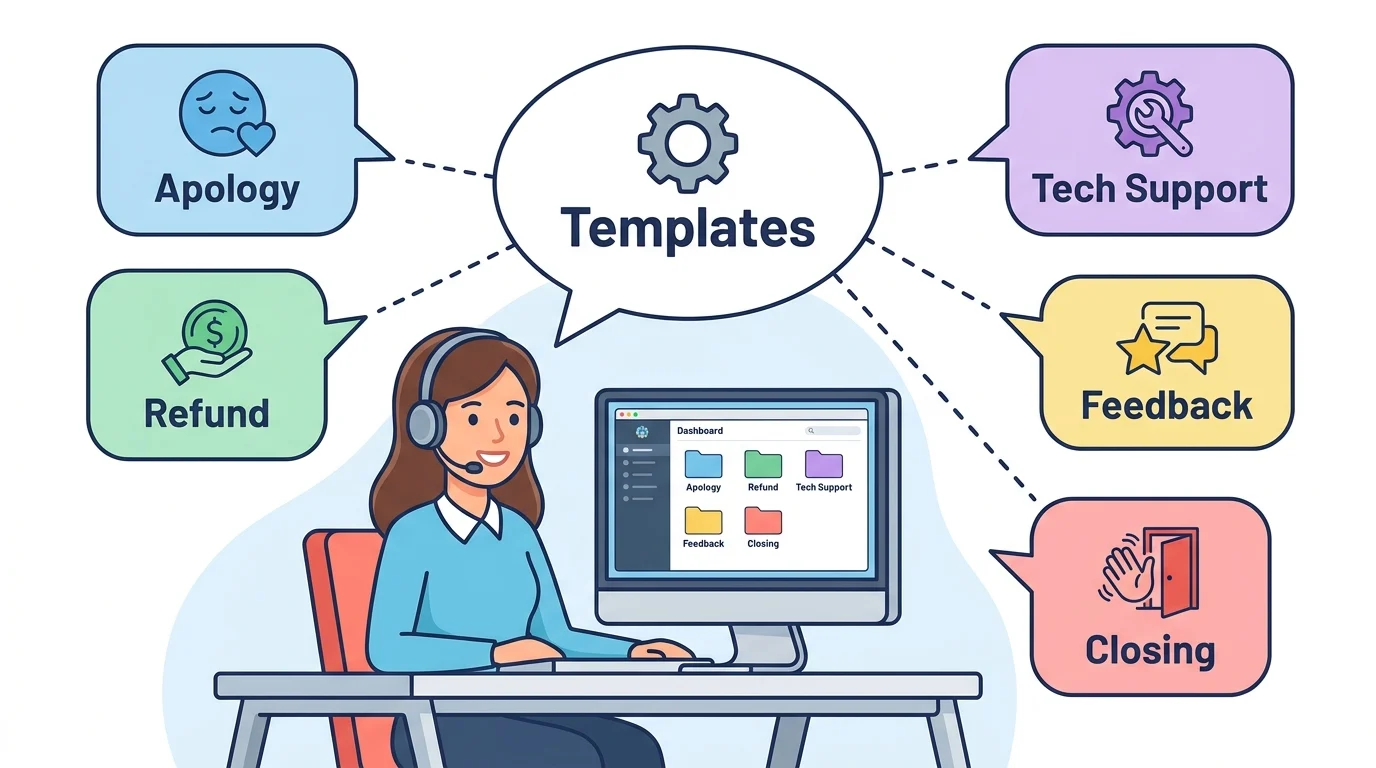
Quick Ans: Customer service response templates are pre-written replies for common support scenarios that speed up response times, ensure consistency, and reduce agent workload while maintaining a personal touch. Top templates to have ready include: greeting/introduction, acknowledgement, apology, delay update, refund confirmation, feedback request, escalation, and closing responses . Always personalize templates with the customer’s name and specific issue details.
Picture this: a customer is frustrated about a delayed order. Another wants to cancel their subscription. A third has a technical issue they can’t resolve. Your support team needs to respond to all of them quickly, empathetically, and consistently. That is exactly what customer service response templates help you achieve.
These pre-written replies for common customer inquiries cut response times, provide consistent service, and improve your workflow . But here’s the catch: templates should never sound robotic. As one expert puts it, “The agent should always control and edit and give a little bit of human touch to templates” . The best support teams use templates as starting points, then personalize them for each customer.
Whether you handle email, live chat, or review responses, having a solid library of templates saves time and ensures quality. Let’s explore 50+ practical templates you can start using today.
Best Practices for Using Customer Service Templates
Before diving into the templates, here are some essential rules to follow:
1. Lead with the Answer
Put the resolution or update in the first sentence. If your reply opens with “Thank you for your patience,” the actual answer gets buried .
2. Use Merge Tags
Add placeholders for details like customer name, ticket number, or agent name so replies auto-fill without manual find-and-replace .
3. Keep One Issue Per Email
If the reply needs five paragraphs, consider whether a call would resolve it faster .
4. Proofread Before Sending
Spelling errors, missing attachments, or half-finished sentences undermine professionalism .
5. State Next Steps Clearly
Customers should know exactly what happens next after reading your response .
6. Don’t Ignore Customer History
Start emails with context: “I see you reached out last week about [issue]. Let’s get this resolved.”
7. Review Your Library Regularly
Quality and findability matter more than raw template count. A practical rule: create templates for questions you answer at least a few times a week .
Greeting and Introduction Templates
1. Standard Introduction
Hello [Customer Name]. Thanks for contacting [Company Name]. How can I help you today?
2. Returning Customer
Welcome back to [Company Name], [Customer Name]. In the meantime, is there anything I can help you with?
3. Warm Welcome
Hi [Customer Name], thank you for reaching out to us today! We’re glad you’re here, and we want to make sure you get the help you need.
4. Email Acknowledgement
Subject: We’ve received your message – [Ticket #12345]
Hi [Name], Thank you for getting in touch. We’ve received your request and our team is looking into it now. Your reference number is #12345. Please keep it handy for any follow-ups.
Apology and Complaint Response Templates
5. General Apology
We sincerely apologize for the inconvenience you have experienced. Your feedback is very important to us, and we are committed to resolving [name the issue] as quickly as possible.
6. Company at Fault
This one’s on us, plain and simple. There was a mix up here: [cause]. I’m sorry to hear it caused you trouble. I’ve already [action], and to make up for it I’ve added [gesture].
7. Calming a Frustrated Customer
I completely understand you’re upset, [Customer name], and I will help. Give me the details and I’ll get straight to it.
8. Empathetic Acknowledgment
I can imagine how inconvenient this is for you. Let’s see how we can fix it together.
9. Customer Complaint Email
Subject: We apologize and appreciate your patience
Dear [Customer Name], We sincerely apologize for the inconvenience you have experienced. Please rest assured that we are actively working to address your concern. If you have any further questions or need additional assistance, do not hesitate to contact us.
Refund and Cancellation Templates
10. Subscription Cancellation
We’ve successfully canceled your subscription and issued a refund for the order that was processed. The refund should take [Length of time] business days to appear in your bank account. We’ll make sure this payment is canceled going forward. If you decide to continue your subscription in the future, you can easily access your account here: [Link].
11. Refund Processed
Thank you for reaching out. We want to inform you that your refund request has been processed. The amount will be credited to your account shortly, depending on your payment method.
12. Handling Out-of-Policy Requests
Hi [Customer Name], thank you for your request. Unfortunately, this falls outside our policy because [explain reason]. However, I can offer you [alternative solution(s)] which might still be helpful.
13. Graceful Correction (Customer is Wrong)
I can see why it looked that way. What’s actually happening is [explanation], and here’s how we sort it out from here: [next step].
Product and Order Issue Templates
14. Product Out of Stock
Thank you for your interest in [Product Name]. Unfortunately, this product is currently out of stock. We are working to replenish our inventory as soon as possible. I’m sorry that we don’t have an ETA on availability as of this moment – please do check back regularly to see if the item is back in stock.
15. Preordered Product Delayed
I wanted to let you know that your preordered product has experienced a delay. It will not arrive until the end of this month. Would you like to keep the order and wait, or would you prefer to cancel the order and get a refund? We are happy to accommodate whichever option works best for you.
16. Product Arrived Damaged
I’m so sorry to hear that the [specify the item] from your order arrived damaged. I can definitely see how that would be frustrating. Here’s what we’ll do to address this: [Specify the action you’ll take].
17. Product Unsatisfactory
I’m sorry to hear that the product wasn’t what you expected. Here’s what we can do: [Specify what you can offer them or the action you can take, per your company policy].
18. Missed Promotion
Thank you for your interest in [Promotion Name]! Unfortunately, the offer you are referring to ended on [Date]. I’m so sorry that you missed out on the discount this time. The good news is that there will be other offers in the future, so keep an eye on your inbox for upcoming promotions!
Technical Support Templates
19. Requesting More Information
Thank you for reaching out to our technical support team. We understand how important this issue is, and we’re here to provide a tailored solution for you. Could you please provide us with a few more details about the problem you’re experiencing?
20. Troubleshooting Steps
Let’s try a few quick troubleshooting steps: [steps]. I’m going to send you a quick guide that should help. One moment please!
21. Involving the Customer in Solutions
Based on what you’ve described, I suggest [option]. Does that sound good to you?
22. Escalation to Specialist
I must escalate this to our [Team Name] team. They specialize in this issue. Thank you for your patience. I’ve escalated your case, and you should hear back within [timeframe].
Delayed Resolution Templates
23. Still Working on It
We’re still working on your request and wanted to keep you updated. Our current estimate for resolution is [date or time window]. We appreciate your patience and will follow up as soon as we have an answer.
24. Unresolved Issue Update
While we haven’t fully resolved your issue with [topic] today, I understand the importance of finding a solution. I’ll escalate this to our [Department Name] team. They should reach out to you via email by [date and time].
25. Unable to Find Solution
Unfortunately, after exploring our available options, we have been unable to find a solution at this time. We will continue to look into this issue and notify you of any updates.
Feedback and Follow-Up Templates
26. Feedback Request
We recently helped you with [brief description of issue]. We’d love to know how it went. [Rate your experience: ★ ★ ★ ★ ★] (takes under a minute).
27. Customer Satisfaction Survey
Thanks for reaching out to [Company Name] today, [Customer Name]. Your feedback is important to us. To help us improve our service, would you mind taking a moment to rate your experience today?
28. Post-Resolution Follow-Up
I’m so glad we could successfully resolve [issue] today. Is there anything else I can help you with or any questions you have about [related topic]?
Live Chat and Closing Templates
29. Chat Closing
I’m glad I could assist you today! If you have any other questions, feel free to reach out. Thank you for chatting with us today. Have a great day!
30. Offering Additional Resources
You can also find helpful information at [link]. Let me know if you need assistance with it! Here’s a video tutorial that walks you through the process: [link].
31. Summary of Resolution
[Customer Name], we’ve reviewed your request for [request], and I’m glad we found a solution that works for you. Here’s a quick recap: [summary of the solution]. Is there anything else I can clarify for you today?
Review Response Templates
32. Responding to a Five-Star Review
Hi [Customer Name], thank you for your kind words! We’re so glad to hear you enjoyed [product/service]. We really appreciate you taking the time to share your experience, and we’ll be sure to pass your feedback along to our team. We hope to see you again soon!
33. Responding to a One-Star Review
Hi [Customer Name], thank you for your honest feedback. We’re sorry to hear about your experience with [product/service]. We’d appreciate the opportunity to make things right – please contact us at [support email/phone], and we’ll work with you to find a solution.
34. Responding to a Mixed Review
Thank you for the wonderful review! We’re so glad you’re enjoying [product]. We also appreciate your suggestion about [specific concern] – that’s exactly the kind of valuable feedback we share with our product team.
Churn Prevention and Retention Templates
35. Customer Threatens to Cancel
I really don’t want to lose you over this. Before you decide, let me make it right. Here’s what I can do: [solution/offer].
36. Engaging Undecided Prospects
Hi [Customer Name], thanks for contacting [Company Name]. It sounds like you’re interested in [topic]. Can I tell you more about how we can help you with that?
37. Free Trial Offer
I understand you’re considering options. Would you like to try [product] free for [X] days? This might help you see exactly how we can address your needs.
Difficult Conversation Templates
38. Customer Using Profanity
I understand you’re upset and I do want to help. Let’s keep it respectful so I can focus on fixing this for you.
39. Grey Rock Response for Hostile Exchanges
Thanks for your message. I’ve noted your concern and shared what we’re able to do here: [options]. Let me know if you’d like to proceed.
40. Customer Demands a Manager
Absolutely, I’ll bring in my manager. So they can help faster, let me note down what’s happened, then I’ll hand you over with the full picture.
41. Customer Contacts Again About Same Issue
I’m sorry you’re back here for the same problem. That shouldn’t have happened. I’ve read the full history, so no need to repeat anything. Here’s what we’ll do differently this time:
Frequently Asked Questions
What are customer service response templates?
They are pre-written replies for common customer inquiries that agents can personalize and send quickly. They’re also called canned responses, macros, saved replies, or quick replies .
How many templates should my team have?
Around 20 well-built templates can cover much of a typical support queue: greetings, acknowledgments, refunds, troubleshooting steps, and follow-ups. A smaller, well-maintained set is easier to use than a large library .
Will templates make my support sound robotic?
Only if you don’t personalize them. Always add the customer’s name, reference their specific issue, and adjust tone to match your brand. The agent should always add a human touch .
What templates should every support team have ready?
At minimum: acknowledgement, resolution, apology, delay update, refund confirmation, feedback request, and escalation. These cover the vast majority of support scenarios .
Can I use the same template for email and live chat?
The content can be similar, but adjust formatting for each channel. Live chat responses are typically shorter, while emails can be more detailed and include subject lines .
How do I handle a customer who gets offensive?
Use neutral, factual responses that do not feed the conflict. For abusive threads, follow your team’s escalation policy rather than relying on a template alone .
Conclusion
Customer service response templates are not about sounding robotic. They’re about freeing your agents to focus on what matters most: truly connecting with customers. A good template library cuts response times, ensures consistency, and reduces agent stress during peak periods.
The key is treating templates as starting points, not final answers. Personalize each response with the customer’s name and specific details about their issue. Lead with the answer, show empathy, and state next steps clearly. Review your library regularly to keep it relevant and easy to navigate.
When you get this right, your customers feel heard and valued, your team works more efficiently, and your support becomes a competitive advantage. Start building your template library today, and watch your customer experience transform.
Discover More:
- Primary and Secondary Immune Response: The Body’s Two-Level Defense System 2026
- 200+ Smart Ways to Handle a Response Code 403 Like a Pro 2026
