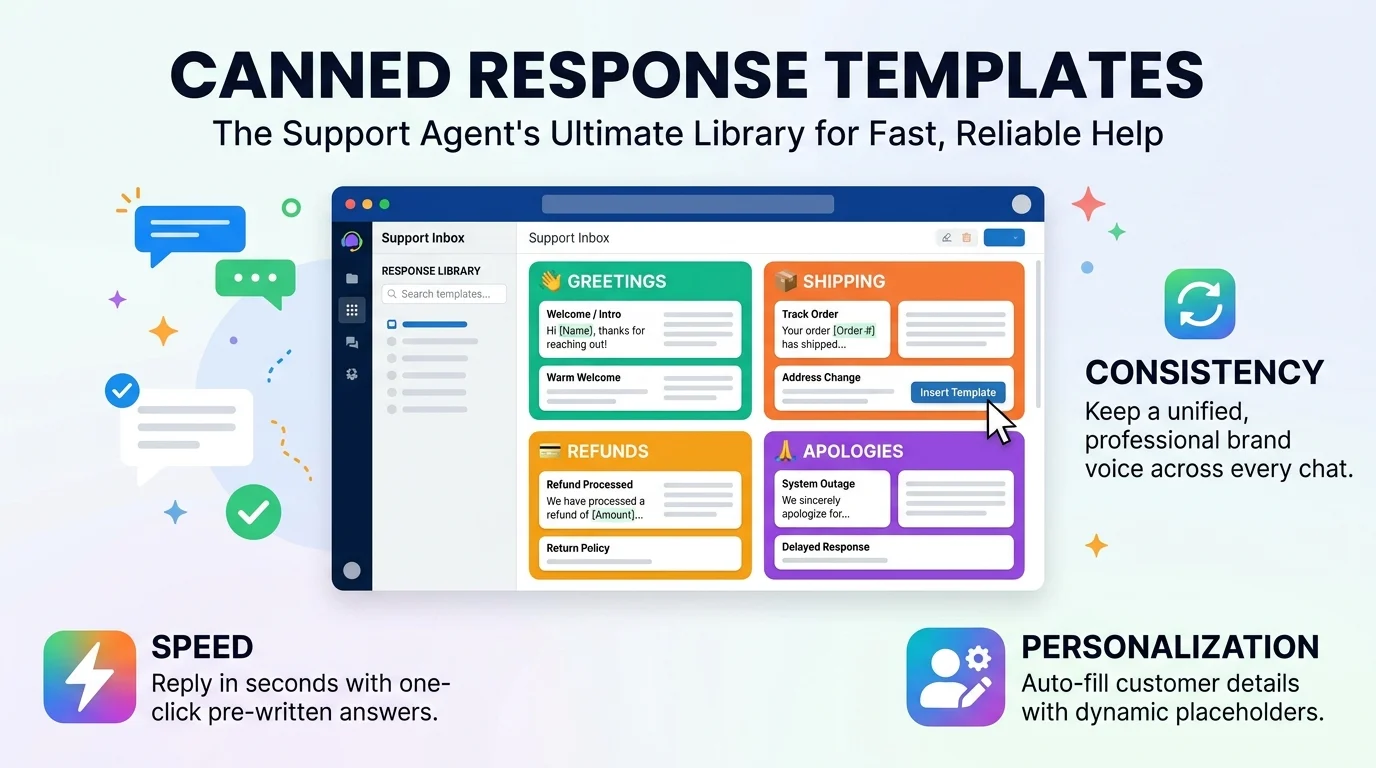
Quick Ans: Canned response examples are pre-written message templates that customer service teams use to answer common questions quickly and consistently. Top examples include: “Thanks for reaching out! We’re looking into this and will update you within 24 hours,” “Your order has shipped and should arrive in 3-5 business days,” “I completely understand your frustration and I’m here to help,” and “Let me connect you with the right team who can resolve this for you.” Canned responses save time, maintain brand voice, and improve response consistency across support teams.
Your support inbox is overflowing. The same five questions keep coming in. Your agents are typing the same answers over and over, and their fingers are begging for mercy. Sound familiar? This is where canned response examples come to the rescue.
Canned responses are pre-written message templates that support teams use to answer frequently asked questions. They save time, ensure consistency, and free up agents to focus on complex issues that actually need a human touch. But here’s the catch: bad canned responses sound robotic and make customers feel like they’re talking to a wall. Good ones feel personal, warm, and genuinely helpful.
The difference between a canned response that delights and one that infuriates comes down to craft. You need to balance efficiency with empathy. Speed with personalization. Structure with warmth. This guide gives you 150+ canned response examples across every scenario you can imagine. From shipping updates to refund requests to angry customer de-escalation, you’ll find templates you can steal and customize today.
What Are Canned Response Examples?
1. Pre-Written Message Templates
They’re ready-made replies that support agents can insert into conversations with one click or a keyboard shortcut .
2. Designed for Repetitive Questions
Canned responses work best for inquiries that come up again and again, like order status or return policies .
3. Customizable with Placeholders
Most templates include variables like {{customer_name}} or {{order_number}} that auto-fill with real data .
4. Stored in Help Desk Software
Tools like Zendesk, Freshdesk, and Intercom have built-in canned response libraries .
5. Accessible via Shortcuts
Agents can trigger templates by typing shortcuts like /shipping or /refund .
6. Maintain Brand Voice
Canned responses ensure every customer gets the same tone, whether they chat with a new hire or a veteran agent .
7. Speed Up Response Times
Agents resolve tickets faster when they don’t have to type from scratch .
8. Reduce Agent Fatigue
Repetitive typing is exhausting. Templates preserve energy for complex problems .
9. Improve Accuracy
Pre-approved responses reduce the risk of giving wrong information .
10. Scale Support Operations
Canned responses let small teams handle large volumes without sacrificing quality .
11. Onboard New Agents Faster
New hires can use proven templates while learning the ropes .
12. Track What Works
Teams can measure which templates resolve issues fastest and iterate .
13. Personalization Still Matters
The best canned responses include space for personal details .
14. Not for Complex Issues
Emotional or unique problems need human-written replies, not templates .
15. Part of a Broader Strategy
Canned responses work best alongside knowledge bases, chatbots, and self-service options .
Greeting and Opening Canned Response Examples
1. Standard Welcome
“Hi {{customer_name}}, thanks for reaching out! I’m {{agent_name}} and I’m happy to help you today.”
2. Friendly and Warm
“Hey there! Thanks so much for getting in touch. What can I help you with today?”
3. Professional Greeting
“Good morning/afternoon, {{customer_name}}. Thank you for contacting {{company_name}}. How may I assist you?”
4. Apology Opening
“I’m so sorry to hear you’re experiencing this issue, {{customer_name}}. Let’s get it sorted out together.”
5. Acknowledgment Opening
“Thanks for bringing this to our attention. I can see why this would be frustrating, and I’m here to help.”
6. Quick Response Opening
“Thanks for your message! I’ve received your request and I’m looking into it right now.”
7. Delayed Response Apology
“I apologize for the delay in getting back to you. Thank you for your patience, and I’m here now to help.”
8. Holiday Greeting
“Happy holidays, {{customer_name}}! Thanks for reaching out during this busy season. How can I assist?”
9. Returning Customer Welcome
“Welcome back, {{customer_name}}! It’s great to hear from you again. What can I help you with today?”
10. New Customer Welcome
“Welcome to {{company_name}}, {{customer_name}}! I’m excited to help you get started. What questions do you have?”
11. Chat Opening
“Hi! Thanks for chatting with us today. I’m {{agent_name}} and I’ll be assisting you.”
12. Email Opening
“Thank you for your email, {{customer_name}}. I’ve reviewed your message and want to help resolve this for you.”
13. Social Media Opening
“Thanks for reaching out to us here! I’d love to help. Could you please send us a DM with more details?”
Order Status and Shipping Canned Response Examples
1. Order Confirmed
“Great news! Your order #{{order_number}} has been confirmed and is being prepared for shipment.”
2. Order Shipped
“Your order is on its way! You can track it here: {{tracking_link}}. Expected delivery: {{delivery_date}}.”
3. Order Delayed
“I’m sorry for the delay with your order. Due to high demand, it’s taking a bit longer than expected. New ETA: {{new_date}}.”
4. Order Delivered
“Your order shows as delivered! If you haven’t received it, please check with neighbors or your building manager first.”
5. Tracking Not Updating
“I understand the tracking hasn’t updated. Sometimes scans are delayed, but your package is still in transit. Here’s what we can do…”
6. Wrong Address Entered
“I see the shipping address on your order is different from what you mentioned. Unfortunately, we can’t change it once shipped.”
7. Address Change Request
“I can update your shipping address if your order hasn’t shipped yet. Let me check the status for you.”
8. Lost Package
“I’m so sorry your package appears to be lost. I’ve initiated a claim with the carrier and will send a replacement right away.”
9. International Shipping
“International orders typically take 10-21 business days. Customs processing can add additional time.”
10. Expedited Shipping Request
“I can upgrade you to expedited shipping for an additional fee. Would you like me to proceed?”
11. Shipping Cost Inquiry
“Shipping costs are calculated at checkout based on weight and destination. Free shipping applies on orders over $50.”
12. Multiple Items Shipped Separately
“Your items may ship separately to get them to you faster. You’ll receive tracking for each package.”
Refund and Return Canned Response Examples
1. Refund Approved
“Good news! Your refund of {{amount}} has been approved. It will appear in your account within 5-7 business days.”
2. Refund Processing
“Your refund is being processed. You’ll receive a confirmation email once it’s complete.”
3. Refund Denied
“I’m sorry, but your refund request falls outside our 30-day return window. Here are some alternatives we can offer.”
4. Return Instructions
“To return your item, please use the prepaid label attached to this email. Drop it at any {{carrier}} location.”
5. Return Received
“We’ve received your return and are inspecting it now. You’ll hear from us within 2 business days.”
6. Exchange Request
“I’d be happy to process an exchange for you. Which item would you like instead?”
7. Partial Refund Offer
“I can offer a partial refund of {{amount}} if you’d like to keep the item. Would that work for you?”
8. Store Credit Offer
“Instead of a refund, I can offer store credit plus a 10% bonus. Would you prefer that option?”
9. Return Shipping Cost
“Return shipping is free for defective items. For change-of-mind returns, a $5.99 fee applies.”
10. Final Sale Item
“I’m sorry, but final sale items cannot be returned or refunded. This was noted at checkout.”
11. Damaged Item Return
“I’m so sorry your item arrived damaged! Please send a photo and we’ll ship a replacement immediately.”
12. Wrong Item Received
“We sent the wrong item? That’s completely our fault. I’m shipping the correct item today at no charge.”
13. Late Return Request
“I understand you missed the return window. Let me check with my manager if we can make an exception.”
14. Refund Timeline
“Refunds typically take 5-10 business days to appear, depending on your bank’s processing time.”
Apology and De-Escalation Canned Response Examples
1. Sincere Apology
“I’m truly sorry for this experience. I completely understand your frustration, and I’m here to make it right.”
2. Empathy First
“That sounds incredibly frustrating. I’d feel the same way if I were in your shoes. Let’s fix this together.”
3. Taking Responsibility
“This was our mistake, and I take full responsibility. Here’s what I’m doing to resolve it immediately.”
4. Angry Customer Response
“I hear you, and I’m so sorry. Your feelings are completely valid. Let me escalate this right away.”
5. Service Outage Apology
“I apologize for the service interruption. Our team is working around the clock to restore everything.”
6. Billing Error Apology
“I’m sorry for the billing error. I’ve corrected it and issued a credit to your account.”
7. Long Wait Apology
“I’m so sorry for the long wait. You deserve better, and I appreciate your patience.”
8. Repeated Issue Apology
“I can’t believe this happened again. That’s unacceptable, and I’m personally ensuring it’s fixed this time.”
9. Public Apology
“We sincerely apologize for the experience you shared. Please DM us so we can resolve this privately.”
10. Delay Apology
“I apologize for the delayed response. Your time is valuable, and I’m here now to help.”
11. Miscommunication Apology
“I’m sorry for the miscommunication. Let me clarify exactly what happened and how we’ll fix it.”
12. Policy Frustration
“I understand this policy is frustrating. Let me explain the reasoning and see what exceptions we can make.”
13. Third-Party Apology
“I’m sorry our partner let you down. Even though it’s not directly our fault, we’ll help make it right.”
Information Request and Troubleshooting Canned Response Examples
1. Request for More Details
“To help resolve this quickly, could you please share your order number and a screenshot of the issue?”
2. Request for Account Info
“I’ll need to verify your account. Could you please provide your email address and order number?”
3. Troubleshooting Steps
“Let’s try a few quick steps: 1) Clear your cache, 2) Restart your device, 3) Try a different browser. Let me know what happens!”
4. Password Reset
“I’ve sent a password reset link to your email. Please check your spam folder if you don’t see it within 5 minutes.”
5. Technical Issue Escalation
“This sounds like a technical issue our specialists should handle. I’m escalating your ticket now.”
6. Screenshot Request
“Could you send a screenshot of the error message? That will help us diagnose the problem faster.”
7. Browser Compatibility
“Our site works best on Chrome, Firefox, and Safari. Could you try switching browsers and let us know?”
8. App Update Request
“Please make sure you’re using the latest version of our app. Updates often fix common issues.”
9. Account Verification
“For security, I need to verify your identity. Can you confirm the last 4 digits of the card on file?”
10. Information Received
“Thanks for providing those details! I have everything I need and will update you shortly.”
11. Missing Information
“I’m missing a few details to proceed. Could you provide {{missing_info}} so I can help?”
12. Document Request
“Could you please attach a copy of your receipt or invoice? That will speed things up.”
13. Error Code Explanation
“That error code usually means {{explanation}}. Here’s how to fix it: {{solution}}.”
Closing and Follow-Up Canned Response Examples
1. Standard Closing
“Thanks for reaching out! Let me know if there’s anything else I can help you with. Have a great day!”
2. Resolution Confirmation
“I’m glad we could resolve this for you! If you need anything else, don’t hesitate to reach out.”
3. Awaiting Response
“I’ve sent the information you requested. I’ll keep this ticket open for 48 hours awaiting your reply.”
4. Ticket Closure
“I’m closing this ticket for now, but you can reopen it anytime if the issue returns. Thanks for your patience!”
5. Follow-Up Scheduled
“I’ll follow up with you on {{date}} to make sure everything is still working perfectly.”
6. Satisfaction Check
“Was this helpful? We’d love to hear your feedback. Click here to rate your experience.”
7. Survey Request
“Thanks for chatting with us! Would you mind taking a quick survey about your experience?”
8. Escalation Closure
“Our specialist team has resolved your issue. You’ll receive a confirmation email shortly.”
9. No Response Follow-Up
“I haven’t heard back from you, so I’m closing this ticket. Feel free to reach out if you still need help!”
10. Weekend Closing
“It’s the weekend here, so responses may be slower. I’ll get back to you first thing Monday.”
11. Holiday Closing
“Thanks for your patience during the holidays! Our team will respond as soon as we’re back.”
12. Warm Closing
“Take care, {{customer_name}}! We’re always here if you need us. 💙”
13. Professional Closing
“Thank you for your business. Please don’t hesitate to contact us with any future questions.”
14. Urgent Closing
“I’ve marked this as urgent and our team is on it. You’ll hear from us within 2 hours.”
15. Final Follow-Up
“Just checking in one last time. If I don’t hear back, I’ll assume everything is resolved. Thanks!”
Industry-Specific Canned Response Examples
1. E-commerce Order Issue
“I’m sorry your order hasn’t arrived. Let me track it and see what’s happening right now.”
2. SaaS Technical Support
“I understand the software isn’t working as expected. Let’s troubleshoot this together step by step.”
3. Healthcare Appointment
“Thanks for contacting our office. I can help you schedule, reschedule, or answer questions about your visit.”
4. Real Estate Inquiry
“Thanks for your interest in {{property_address}}! I’d love to schedule a showing. What times work for you?”
5. Restaurant Reservation
“Thanks for reaching out! We’d love to have you. What date and time were you thinking for your reservation?”
6. Hotel Booking
“I’m happy to help with your reservation. Could you provide your confirmation number so I can pull up your booking?”
7. Bank or Financial
“For security reasons, I’ll need to verify your identity before we proceed. Can you confirm your account details?”
8. Insurance Claim
“I’m sorry to hear about your accident. Let me guide you through the claims process step by step.”
9. Travel Agency
“I’d love to help plan your trip! Could you share your destination, travel dates, and budget?”
10. Education or Online Course
“Thanks for your interest in our course! Let me answer your questions about enrollment and curriculum.”
11. Nonprofit Donation
“Thank you so much for your generous support! Your donation makes a real difference.”
12. Subscription Box
“I’m sorry your box arrived damaged. I’m shipping a replacement right away at no cost to you.”
13. Fitness or Gym
“Welcome to the gym! I’d love to help you get started. What are your fitness goals?”
14. Beauty or Salon
“Thanks for booking with us! I’ll confirm your appointment and answer any questions you have.”
Frequently Asked Questions
What are canned response examples?
They’re pre-written message templates that customer service teams use to answer common questions quickly and consistently .
Why should I use canned responses?
They save time, ensure consistency, reduce agent fatigue, improve accuracy, and help scale support operations .
Won’t canned responses sound robotic?
Only if you write them poorly. The best canned responses include personalization placeholders and warm, human language .
What’s the difference between canned responses and macros?
Canned responses are the message templates themselves. Macros are automated actions that can include canned responses plus other steps .
Which tools support canned responses?
Zendesk, Freshdesk, Intercom, Help Scout, and most major help desk platforms have built-in canned response features .
How many canned responses should I create?
Start with your top 10 most common questions, then expand as you identify patterns .
Can I use canned responses for angry customers?
Yes, but use them carefully. De-escalation templates work well when personalized with specific details .
How do I personalize canned responses?
Use placeholders like {{customer_name}} and {{order_number}}, and add a sentence or two of unique context .
Should I tell customers I’m using a template?
No, but the response should feel personal. If it reads like a form letter, you’ve done it wrong .
How often should I update canned responses?
Review them quarterly or whenever policies change. Outdated templates cause more problems than they solve .
Can canned responses hurt customer satisfaction?
Only if they’re irrelevant or overly generic. Well-crafted templates improve satisfaction by speeding up resolutions .
What’s the ideal length for a canned response?
Short enough to be scannable, long enough to be helpful. Usually 2-4 sentences for simple issues, more for complex ones .
Are canned responses good for email or chat?
Both! They work in any text-based support channel, including social media DMs .
Conclusion
Canned response examples are your secret weapon for scaling support without losing the human touch. When written well, they save time, maintain brand voice, and free your team to focus on the complex problems that actually need creative thinking. When written poorly, they make customers feel like they’re talking to a robot. The difference is in the craft.
Start with the templates in this guide. Customize them with your brand voice and specific policies. Add personalization placeholders so every customer feels seen. Then measure what works and iterate. Your response times will drop, your satisfaction scores will rise, and your agents will thank you. Happy templating!
Discover More:
- Car Accident Demand Letter Response: Complete Guide for 2026
- 150+ Best Responses to “Buenos Días” for Every Situation 2026

1 thought on “Canned Response Examples: 150+ Ready-to-Use Templates for Every Situation 2026”